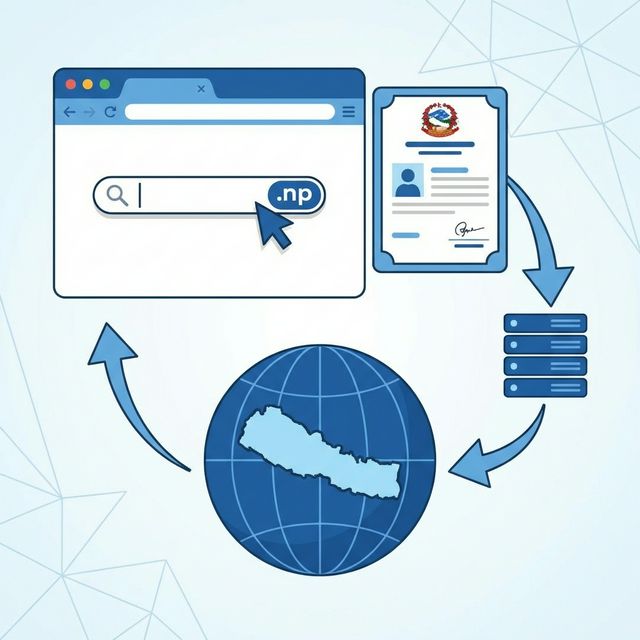
What is a .com.np Domain?
If you're planning to establish an online presence in Nepal, getting a .com.np domain should be high on your priority list. The .np is Nepal's country code top-level domain (ccTLD), and .com.np is specifically designated for commercial purposes—perfect for businesses, blogs, portfolios, and personal websites.
The best part? Unlike international domains like .com or .net that cost money every year, .com.np domains are completely free for Nepali citizens and organizations. Yes, you read that right—free! This is made possible through Mercantile Communications, the official registrar appointed by the Nepal Telecommunications Authority to manage .np domain registrations.
However, "free" doesn't mean "instant." The registration process requires proper documentation and can take a few days. But don't worry—this guide will walk you through everything you need to know to successfully register your .com.np domain.
"Having a .com.np domain gives your website a local identity and builds trust with Nepali visitors."
Requirements for Registration
Before you start the registration process, make sure you have all the necessary documents and information ready. Missing documents are the number one reason for application rejections.
For Individual Registration
- Citizenship Certificate: A clear scanned copy of both sides of your Nepali citizenship
- Valid Email Address: You'll need an active email for all communications
- Phone Number: A working Nepali phone number for contact purposes
- Nameservers: At least two nameservers from your hosting provider
For Business/Organization Registration
- Company Registration Certificate: Scanned copy from Company Registrar's Office
- PAN/VAT Certificate: Your company's tax registration document
- Authorization Letter: If someone other than the owner is registering
- Citizenship of Authorized Person: The person handling registration must provide their citizenship
Step-by-Step Registration Process
Step 1: Check Domain Availability
Visit register.com.np and use their search tool. Enter your preferred domain name and see if it's available. Tips for choosing a good domain: keep it short, avoid hyphens and numbers, make it easy to spell.
Step 2: Create an Account
Create an account on the Mercantile registration portal with your full name (as it appears on citizenship), email address, phone number, address, and a password. Verify your email by clicking the confirmation link.
Step 3: Prepare Your Nameservers
Nameservers tell the internet where your website lives. You need at least two. If you have web hosting, your provider will give you these (e.g., ns1.yourhostingcompany.com). Otherwise, you can use Cloudflare's free nameservers.
Step 4: Fill Out the Registration Form
Log into your Mercantile account and start the domain registration process. Provide the domain name, registrant information, administrative contacts, and nameserver addresses.
Step 5: Upload Required Documents
Upload clear, legible scans of all required documents in JPG, PNG, or PDF format. Ensure all text is readable and both sides of citizenship are included if applicable.
Step 6: Submit and Wait
After submitting, you'll receive a confirmation email. Mercantile manually reviews each application, which typically takes 1-3 business days. Check your application status by logging into your account.
Common Mistakes to Avoid
1. Blurry or Cropped Documents
If reviewers can't read your citizenship clearly, your application will be rejected. Use a proper scanner or good phone camera with adequate lighting.
2. Name Mismatch
The name you enter must exactly match your citizenship. If your citizenship says "Ram Bahadur Thapa" don't register as "Ram B. Thapa."
3. Invalid Nameservers
Nameservers must be valid and responding. If you enter fake or incorrect nameservers, your application will be rejected.
4. Domain Name Conflicts
Avoid domain names that are trademarked or could be confused with existing popular brands.
Frequently Asked Questions
How long does the registration process take?
Typically 1-3 business days. During busy periods, it might take up to a week.
Can foreigners register .com.np domains?
Generally, .np domains are for Nepali citizens and organizations. Foreign companies with registered offices in Nepal can apply with appropriate documentation.
Is .com.np really free forever?
The domain registration is free, but you need to renew it every 2 years (also free). Failure to renew can result in losing your domain.
Can I transfer my domain to another registrar?
No, Mercantile Communications is the only authorized registrar for .np domains.
Can I register multiple domains?
Yes, individuals and organizations can register multiple .com.np domains with valid justification.